Import data from Excel to R
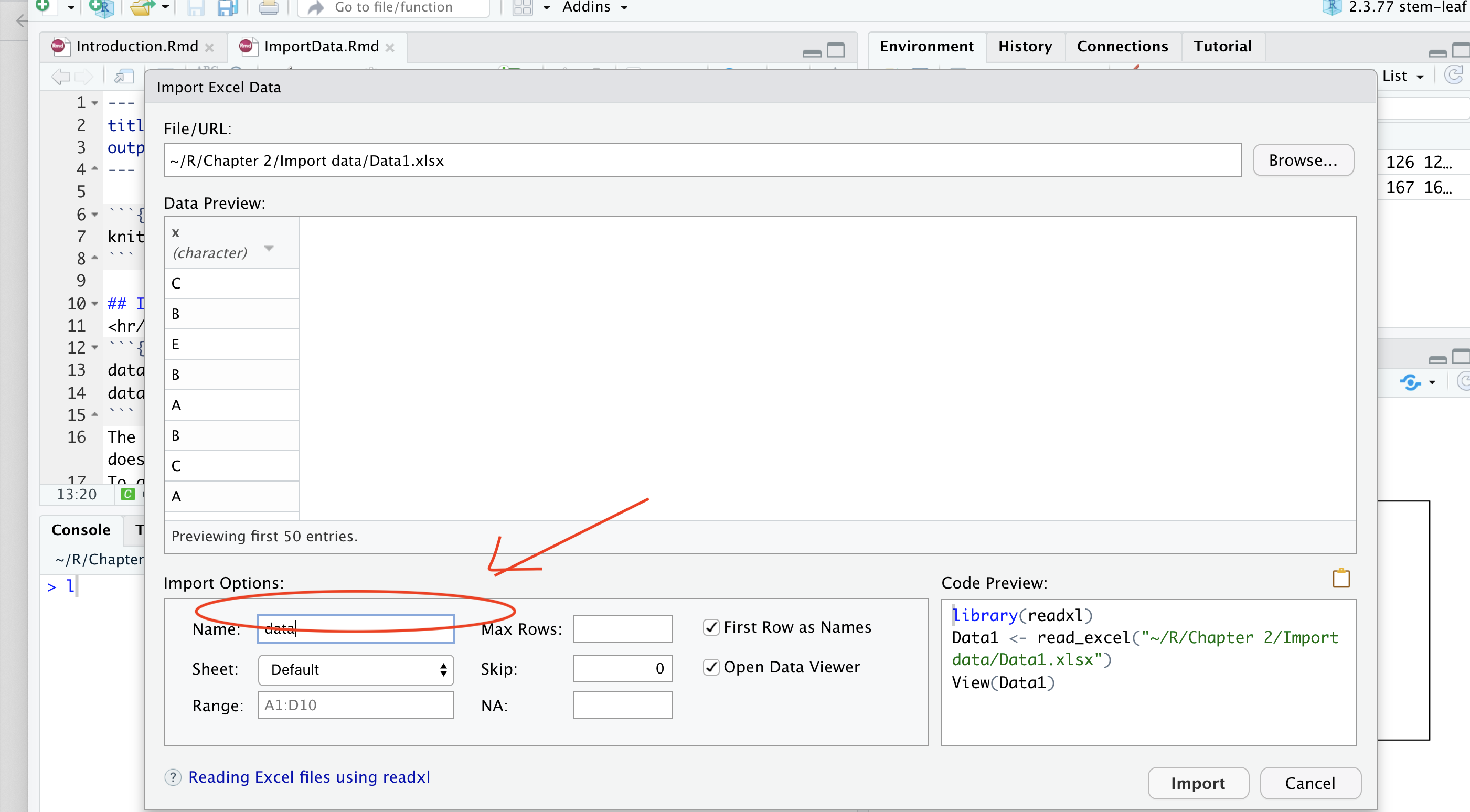
First, we need to select import dataset from Excel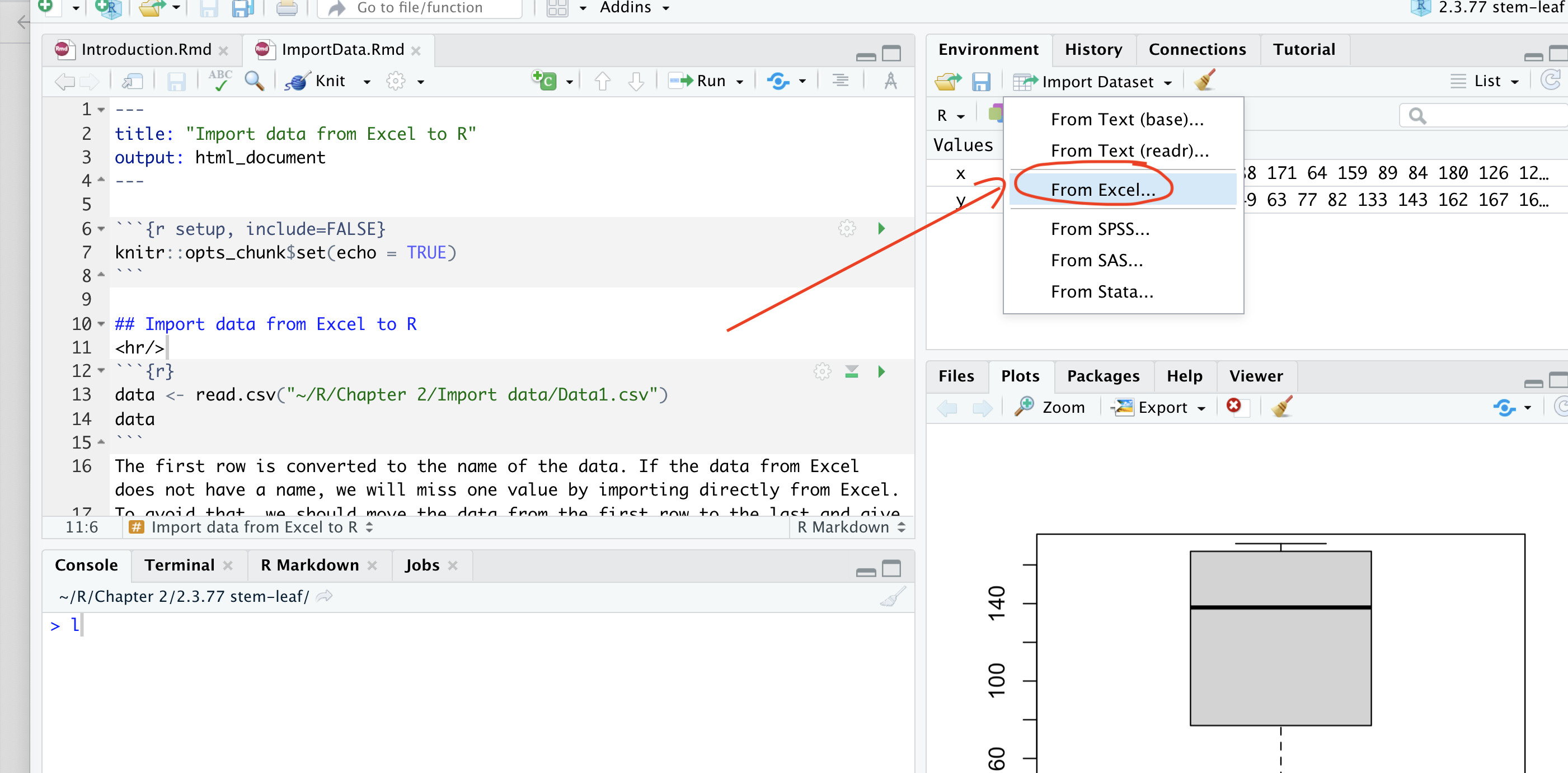
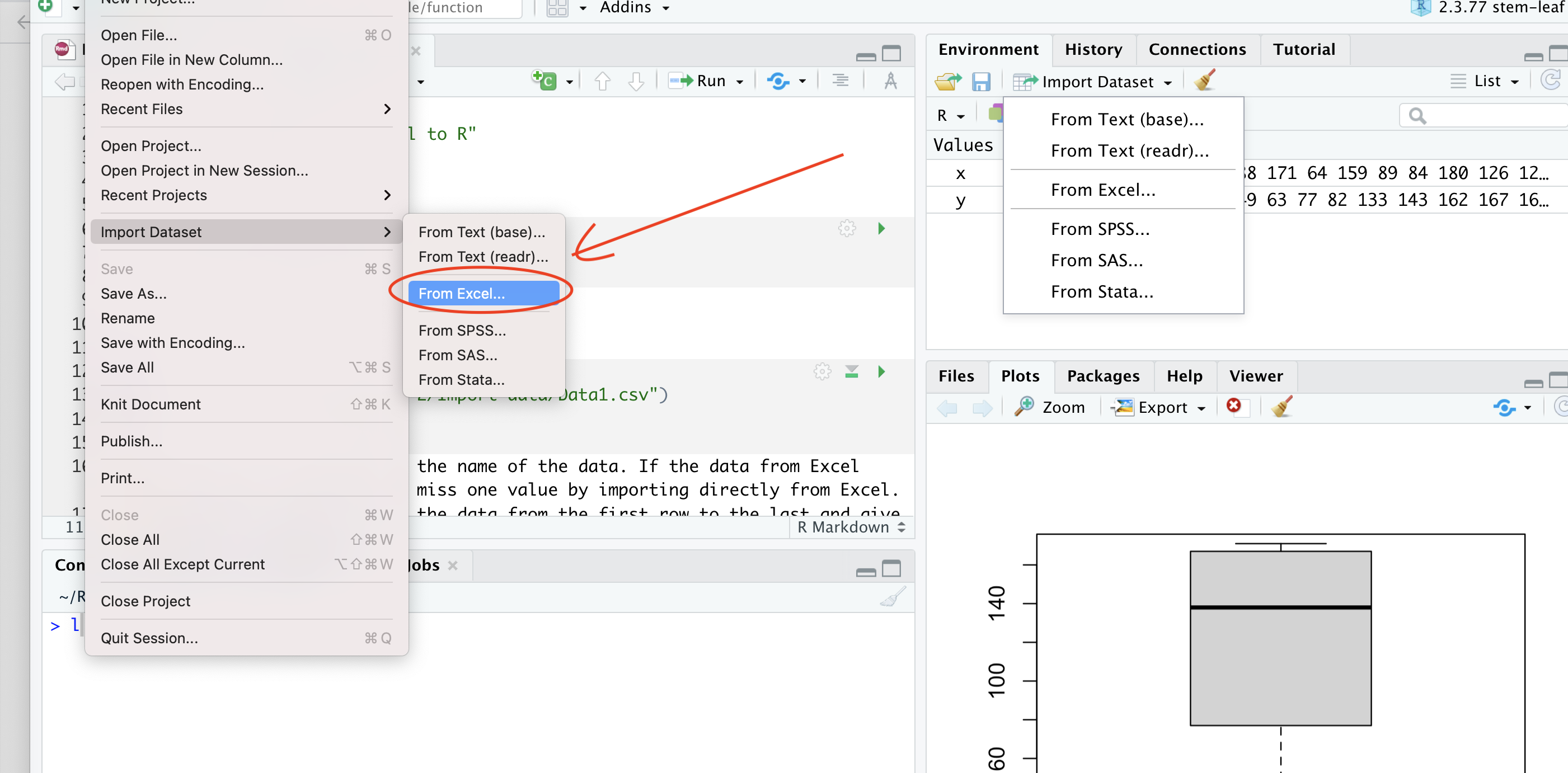
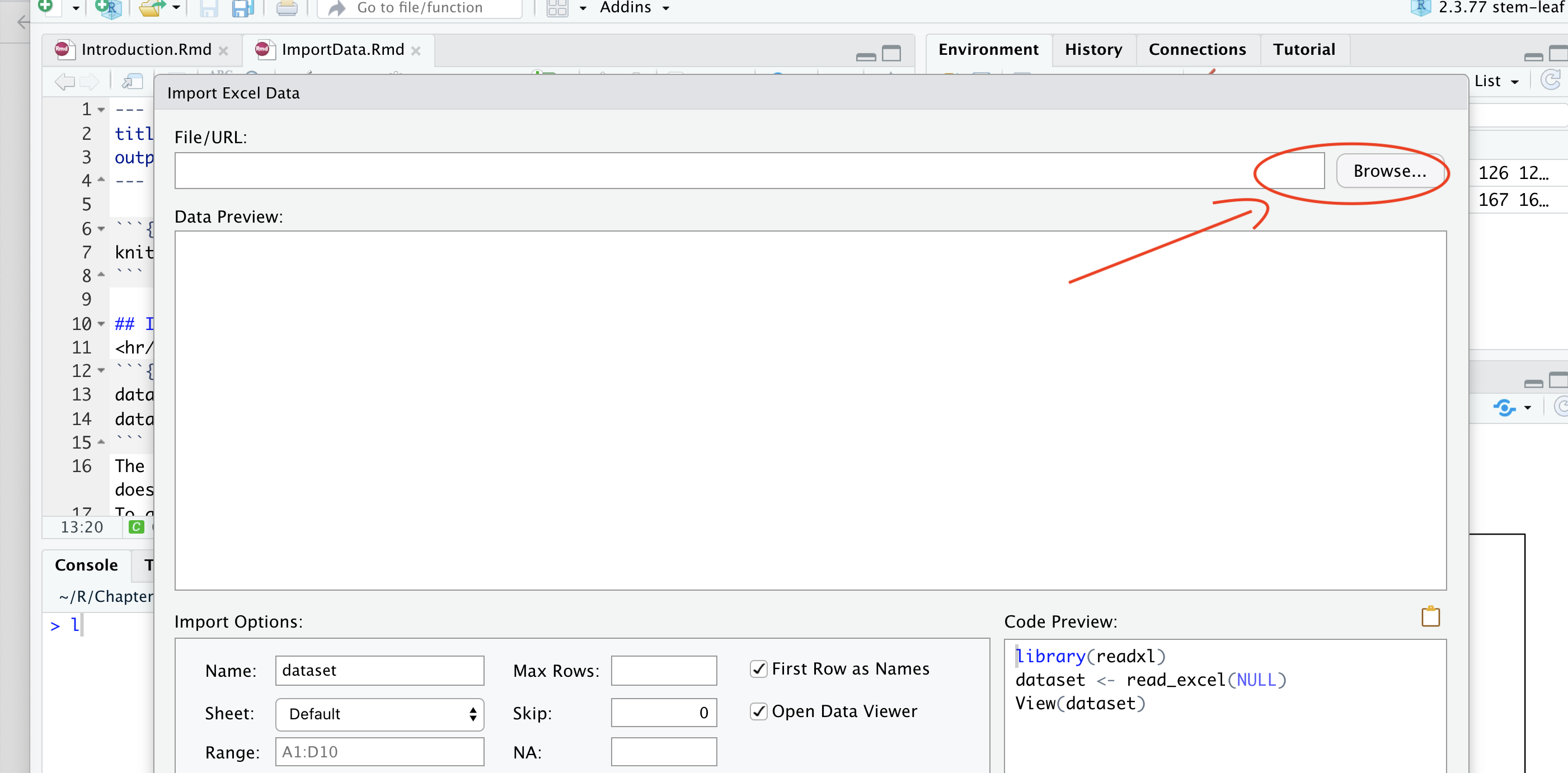
Select Browse
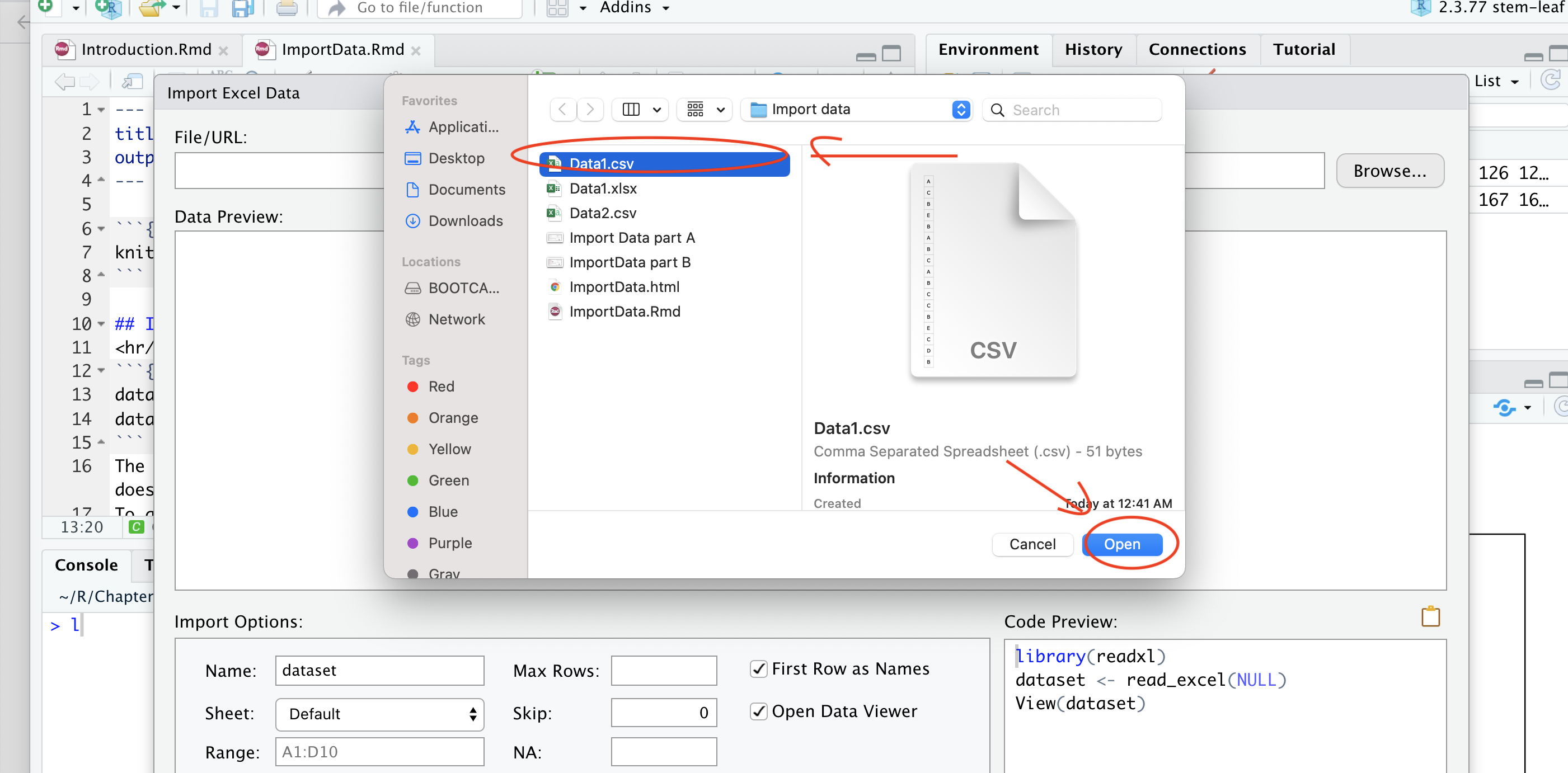
Select the right Excel file
Change the name to make it easy to use
data <- read.csv("https://raw.githubusercontent.com/sileaderwt/MTH1320-UMSL/main/Image%2BData/Import%20data/Data1.csv")
data
## A
## 1 C
## 2 B
## 3 E
## 4 B
## 5 A
## 6 B
## 7 C
## 8 A
## 9 B
## 10 C
## 11 C
## 12 B
## 13 E
## 14 C
## 15 D
## 16 B
## 17 C
## 18 A
## 19 C
## 20 A
## 21 C
## 22 B
## 23 E
## 24 AThe first row is converted to the name of the data. If the data from Excel does not have a name, we will miss one value by importing directly from Excel. To avoid that, we should move the data from the first row to the last and give a name for the data.
For example, in the second data sheet I move A to the last row and give x as the name of the data.
data2 <- read.csv("https://raw.githubusercontent.com/sileaderwt/MTH1320-UMSL/main/Image%2BData/Import%20data/Data2.csv")
data2
## x
## 1 C
## 2 B
## 3 E
## 4 B
## 5 A
## 6 B
## 7 C
## 8 A
## 9 B
## 10 C
## 11 C
## 12 B
## 13 E
## 14 C
## 15 D
## 16 B
## 17 C
## 18 A
## 19 C
## 20 A
## 21 C
## 22 B
## 23 E
## 24 A
## 25 AWe can retrieve the data by using its name
y = data2$x
y
## [1] "C" "B" "E" "B" "A" "B" "C" "A" "B" "C" "C" "B" "E" "C" "D" "B" "C" "A" "C"
## [20] "A" "C" "B" "E" "A" "A"